








Sequence Wiz electronic health records system for yoga therapists

Step 2: Activate student portals

Put your stamp on it

Activate student portals

Set up scheduling

Make your forms

Get to know your student

Create effective practices

Record student’s journey

Deepen your expertise

Everything you send your student, in one place on their phone

Keeping track of everything you send each student — sequences, forms, booking links, files — can get complicated fast. And for your students, finding it all again in their crowded inbox is even harder.

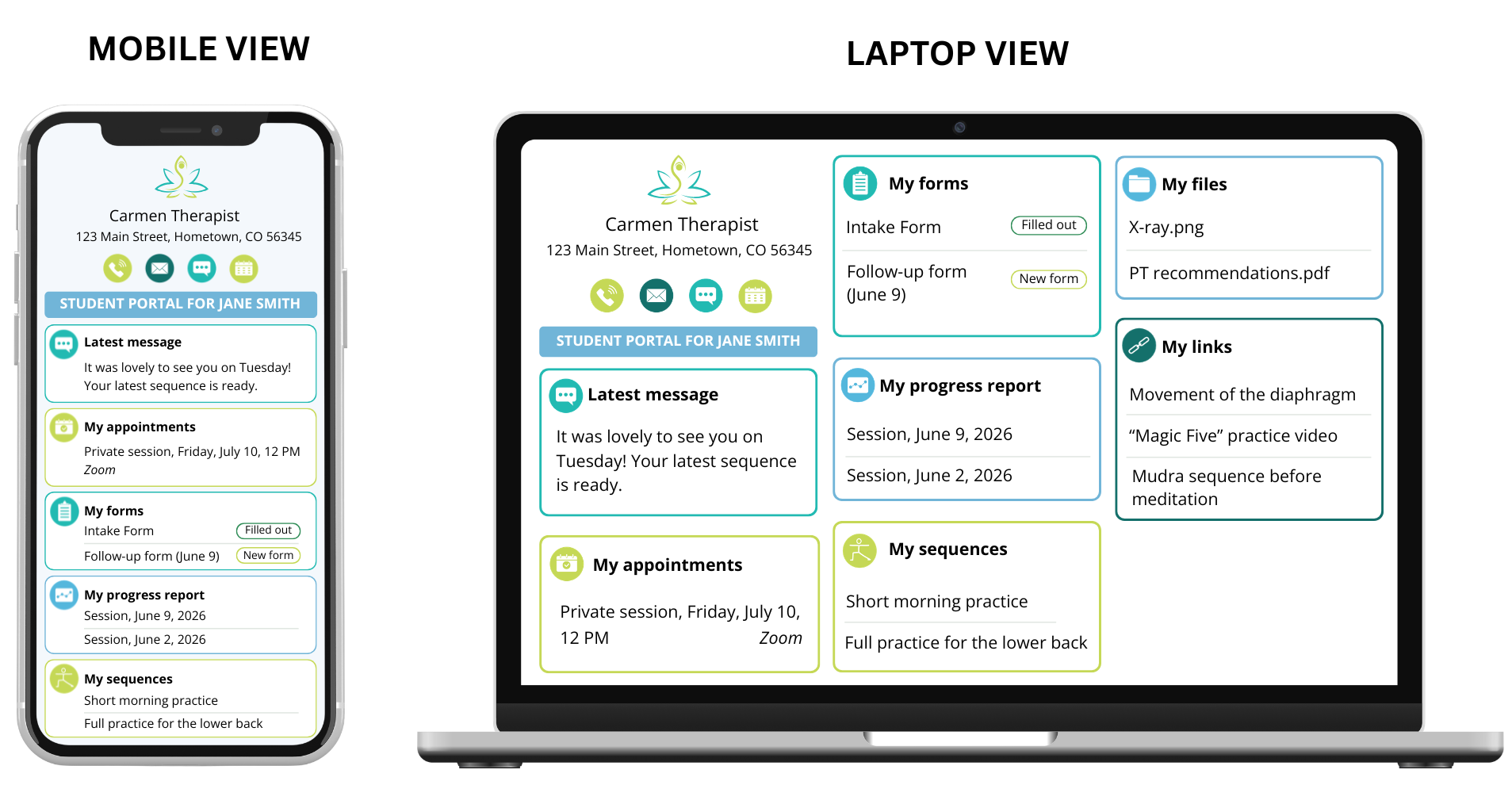
The Student Portal solves that. Every time you send something to a student it automatically appears in their personal portal. One place, always organized, always on their phone. For your student, it means everything they need from you is one tap away. No inbox searching, no lost attachments. Just a clear, simple space that feels personal and professional.

What’s included in the portal

● Communication: Your student can communicate with you anytime by calling, emailing, or messaging

● Scheduling: Your student can see their appointments with you and they can book, cancel and modify appointments

● Forms: Your student has access to their new and filled out forms, all mobile-friendly. They can start filling the form out now and finish it later.

● Progress tracking: Your student can view the summary of their latest session with you and the recommendations your gave them

● Files and links: Your student can have easy access to any files or links you sent them

● Practice sequences: Your student has access to all sequences you chose to share with them.

Getting started is simple:

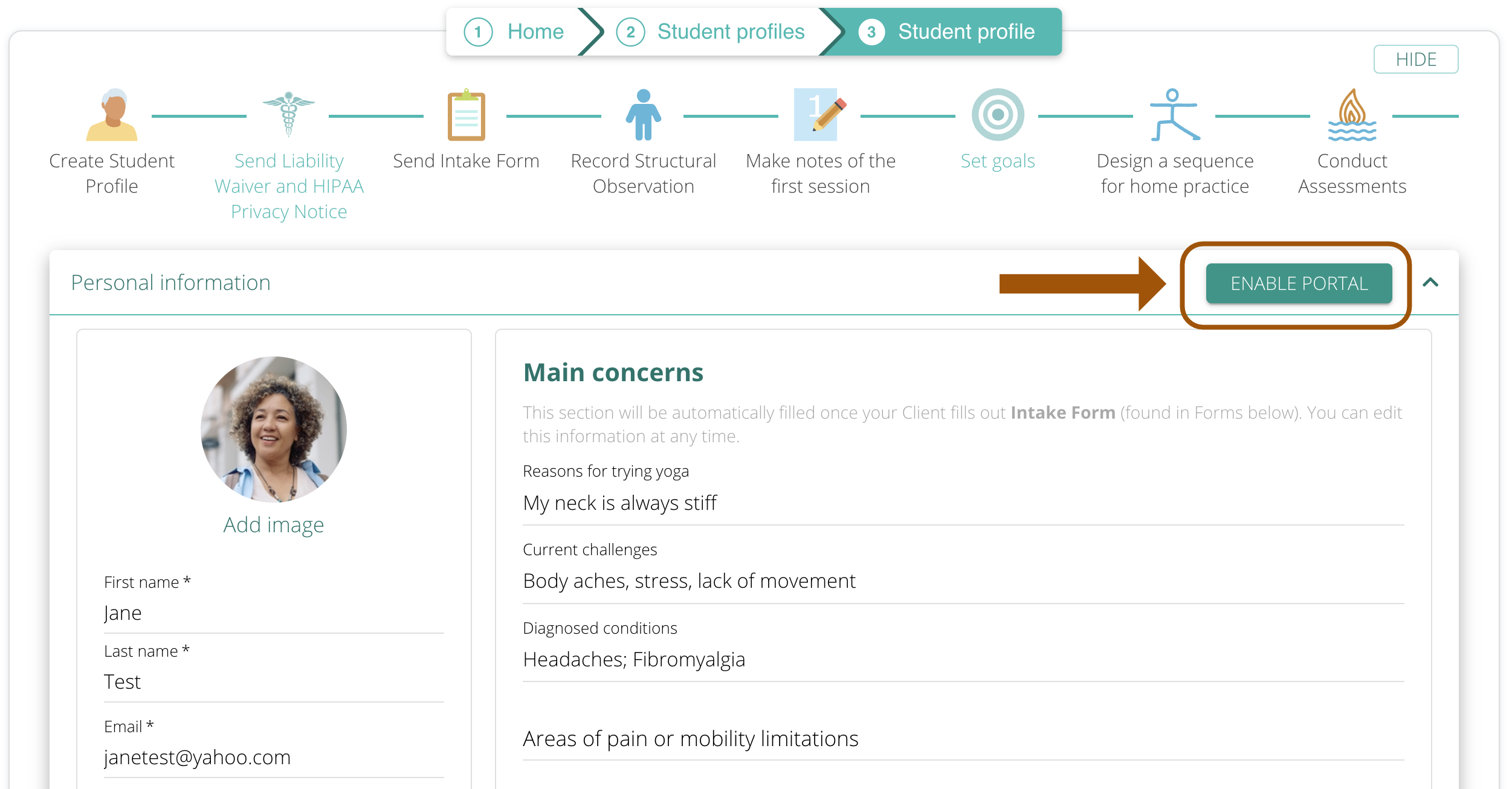
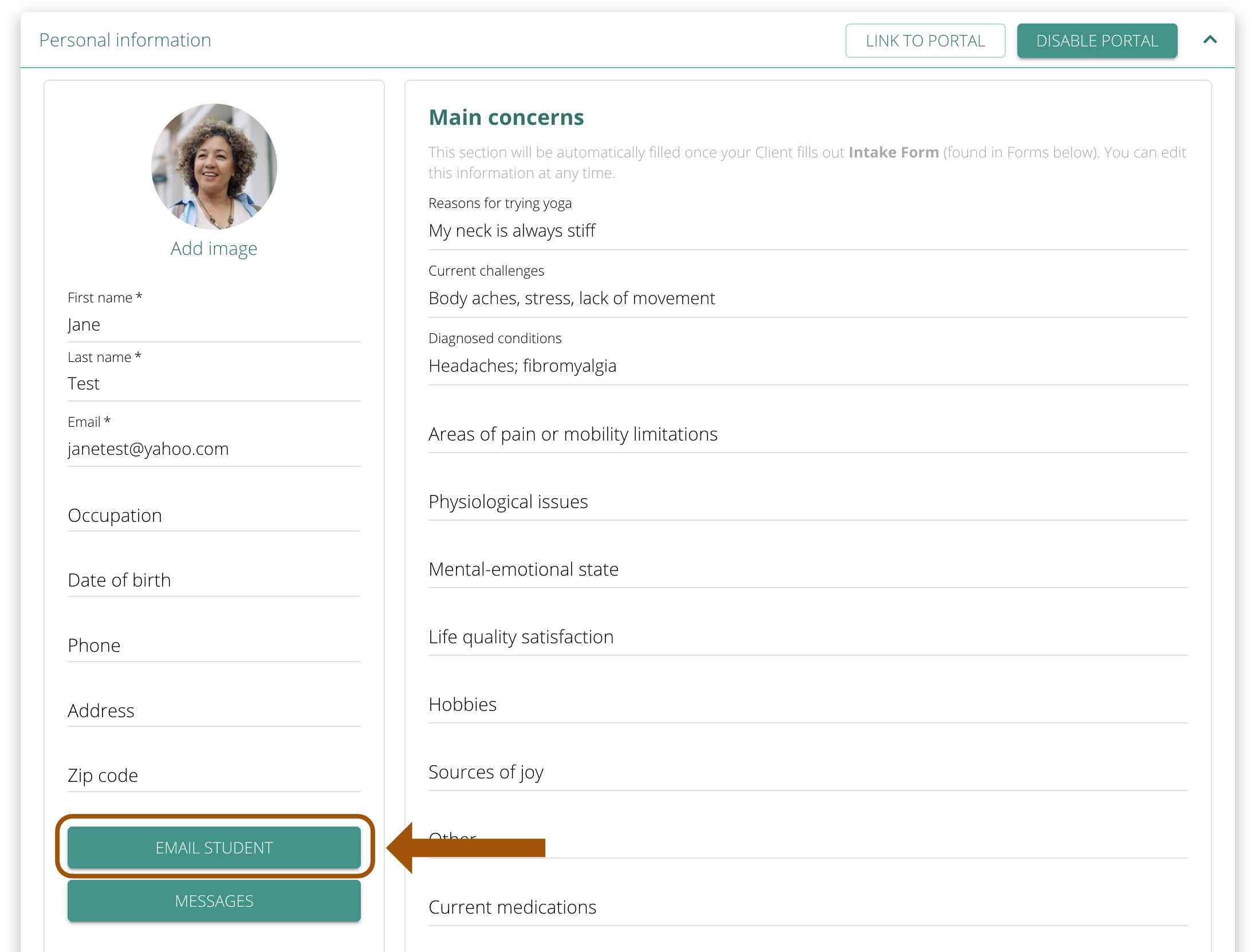
Enable the portal on your student’s profile: Go to a student’s profile and click “Enable Portal.” Their personal portal is live instantly.

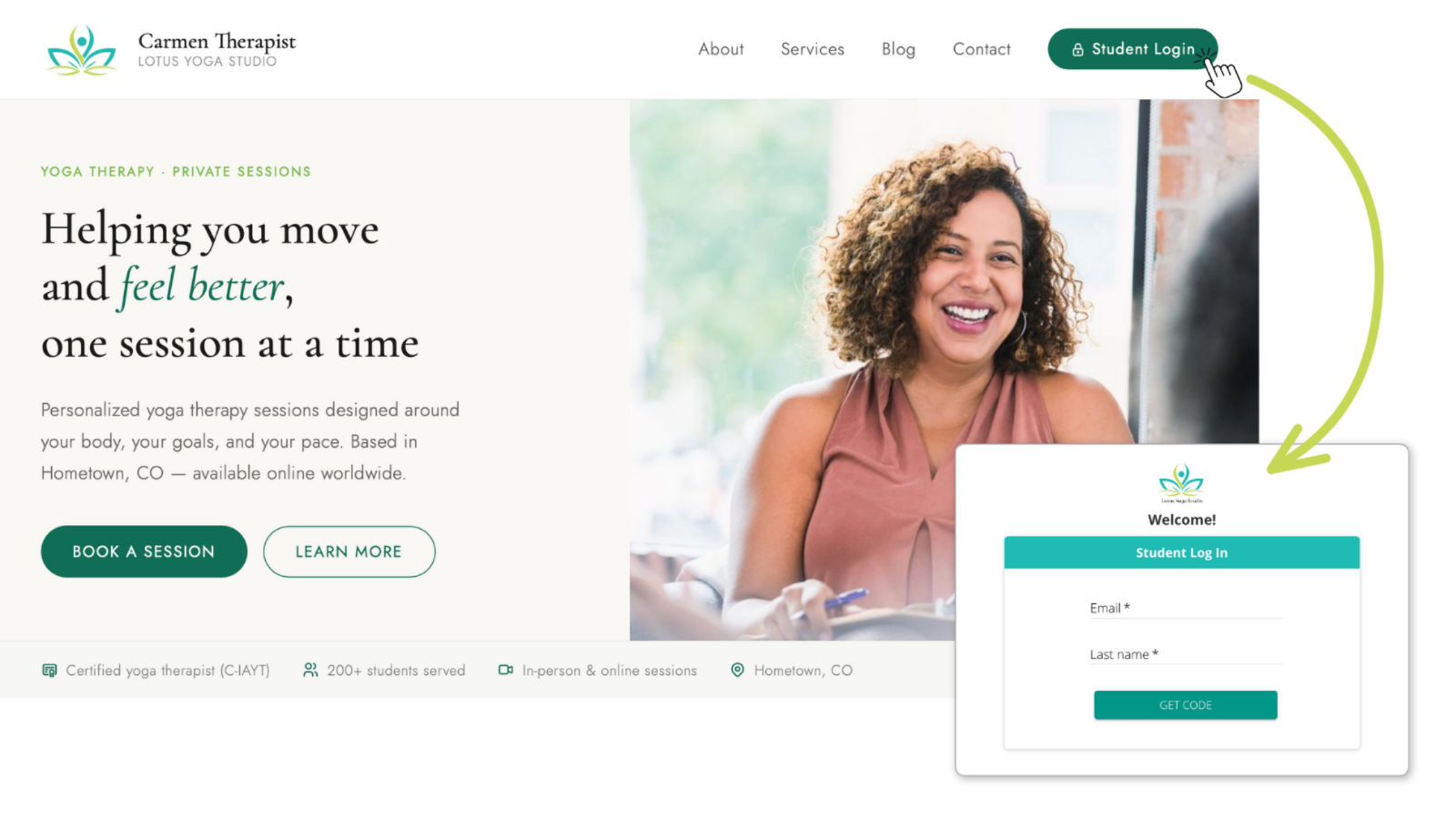
You can add a link to your website and call it something like Student login. All students with activated portals will be able to log in there using their last name and email.

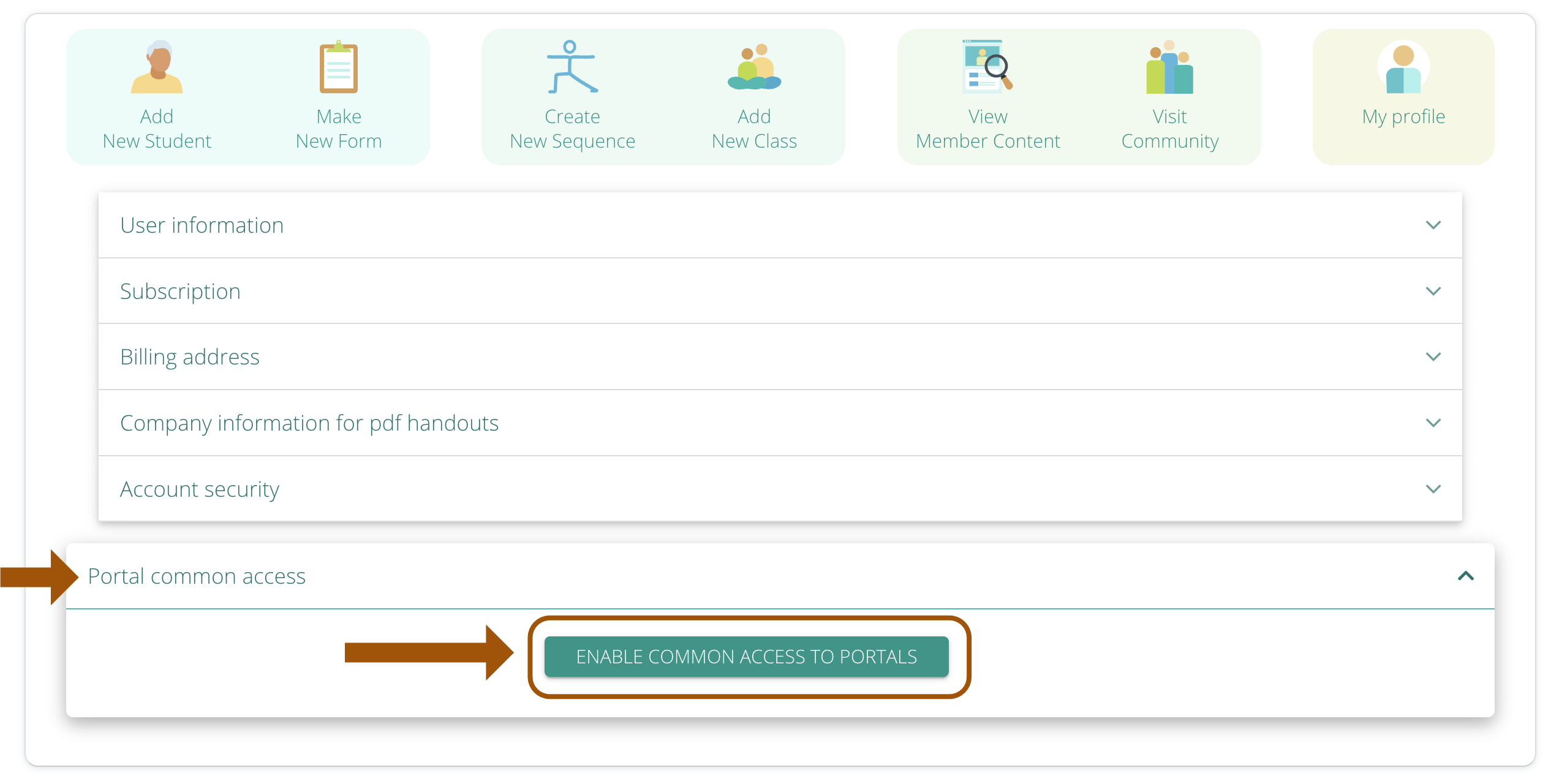
To enable general access, go to My Account > My Profile and click on ENABLE COMMON LINK TO PORTAL.

Copy the link that shows up

and add it to any button, page, mail, newsletter – whatever you like. When your students click on that link, they will see the access page and will be able to login there.

Send new materials the way you already do: Use the “Email Student” button and everything you include lands in their portal automatically. All scheduled appointments will be added automatically.


Activate student portals

Do you need any help?

Visit out HELP SITE to find answers to all your question or fill out the contact form on the site to get help.