








Sequence Wiz electronic health records system for yoga therapists

Step 6: Create effective practices

Put your stamp on it

Activate student portals

Set up scheduling

Make your forms

Get to know your student

Create effective practices

Record student’s journey

Deepen your expertise

Get creative with handouts of your yoga sequences

Modify any sequence from a selection of professionally-designed effective practices, make them your own, and then use them in many different ways to help your students and grow your practice.

Getting started is simple:

You can quickly and easily create a new yoga practice from any of our pre-loaded (Shared) sequences.

Step 1. Go to Shared Sequences.

Step 2. Choose the sequence that sounds interesting (you can preview any sequence by clicking on the Export button).

Step 3. Click on the Duplicate button. This will add the sequence to your account.

After you copy as many sequences as you like, return to your Sequences and click on one of the copied sequences. Make any changes you want, and Voila! you got a brand new sequence!


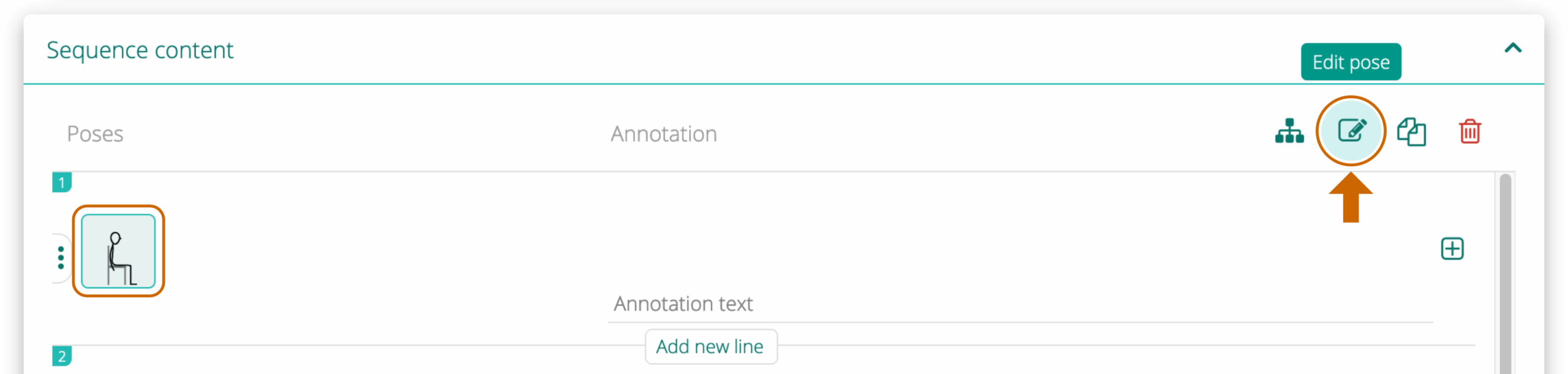
To edit a pose, first click on it to select and then click on the Edit icon in the top right corner. You can edit only one pose at a time.


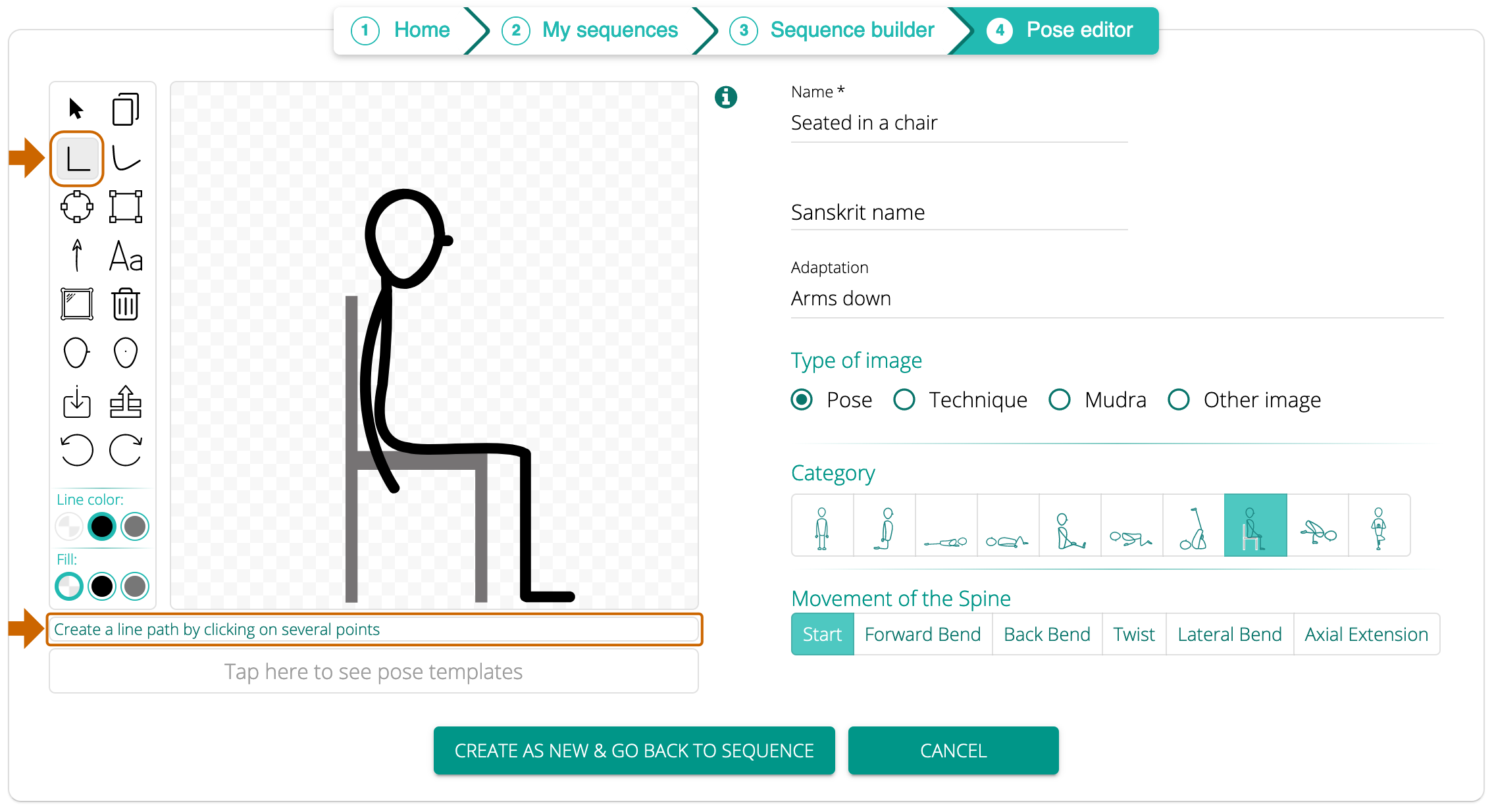
Delete, replace, add, or reshape any element of the pose, or add props. Whenever you hover over an icon, you will see a hint reminding you what it is for.


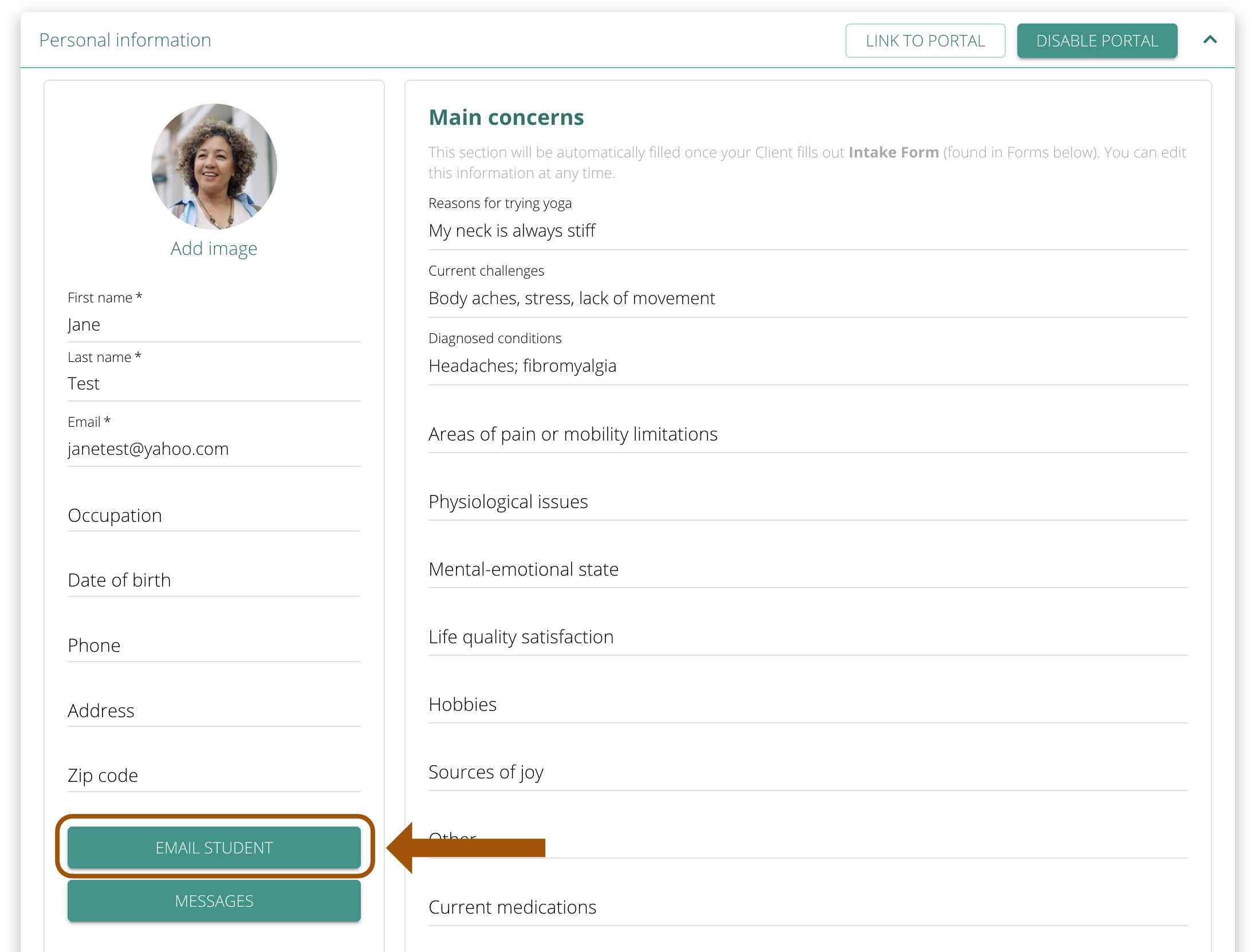
Send new materials the way you already do: Use the “Email Student” button and everything you add, including sequences, is emailed to them and lands in their portal automatically. 

Start making sequences

Do you need any help?

Visit out HELP SITE to find answers to all your question or fill out the contact form on the site to get help.